How do I send or withdraw USDC?
Updated: 2026-05-29
You can take your dollars (USDC) out of Syklo to another Stellar wallet or to an exchange like Binance or LOBSTR. You need the destination's Stellar address and, if it asks for one, its memo.
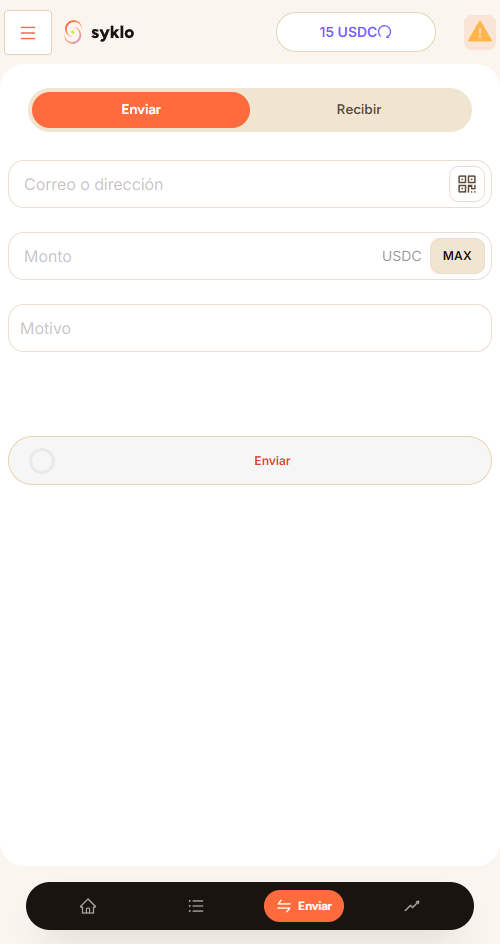
Steps
- At the destination (wallet or exchange), look to receive or deposit USDC over the Stellar network and copy its address and, if required, the memo.
- In Syklo, go to Send / Receive.
- Select Send and paste the destination Stellar address in the email or address field. Double-check it carefully. If the destination asks for a memo, add it.
- Enter the amount and confirm.
Send only over the Stellar network. Binance and most exchanges require a memo: without it, your deposit may not be credited. LOBSTR, being a personal wallet, usually doesn't need one. A wrong address or a missing memo can make you lose that money, and it can't be reversed.
To send money to another person inside Syklo, you only need to enter the other Syklo account's email instead of the Stellar address.
Still have a question?
Write to us and we'll help.