How to sell dollars
Updated: 2026-05-29
Selling on Syklo is the reverse of buying: you hand over dollars and receive your local currency in the payment method you choose.
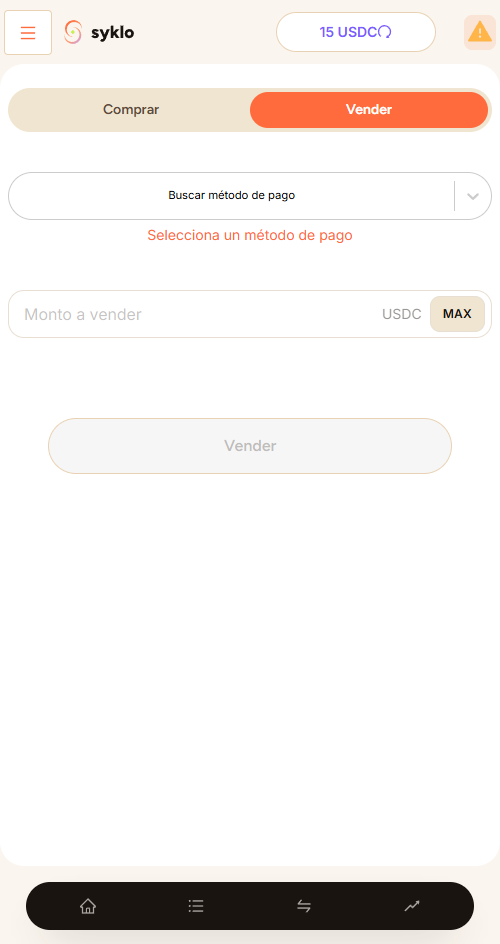
Steps
- Open the app and tap "Sell".
- Enter how many dollars you want to sell and choose how you want to be paid.
- Confirm the offer. Your dollars are held (escrow).
- The buyer transfers to your payment method.
- Once you confirm you received payment, the dollars release to the buyer.
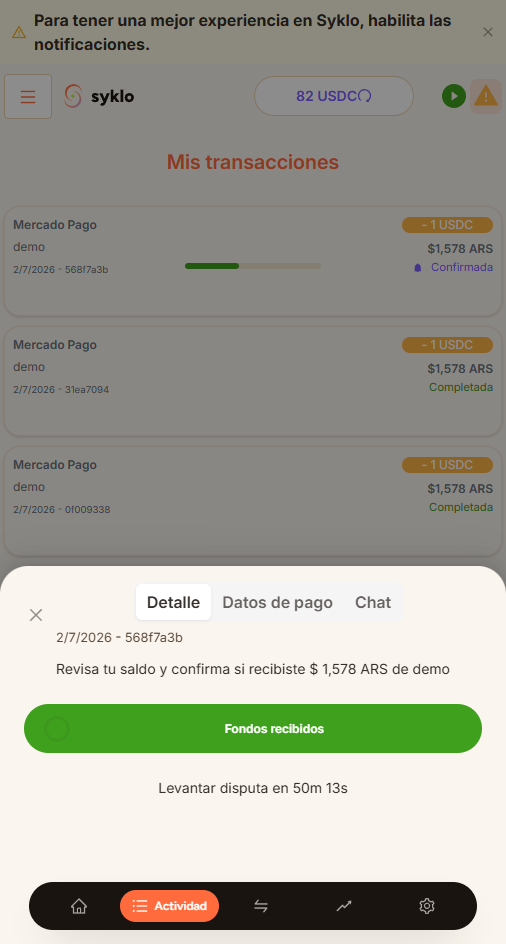
Only confirm when the money is actually in your account. Once you confirm, the dollars release and the trade can't be undone.
Still have a question?
Write to us and we'll help.